Creating a Bulleted List in MS Word.

By creating and formatting a bulleted list, you can draw attention to the major points in the document.

Select the two paragraphs below the phrase.

On the Home tab, in the paragraph group, click the Bullets button.

Notice that solid circles appears before the selected paragraphs.

Place the insertion point at the end of second bulleted paragraph.

Press Enter.

Word automatically continues the bulleted list by supplying the next bulleted line.

Application Software.

Application software are uses to perform some specific task related to the user requirements.

Definition of Application software. Application program is a programs which is specially designed for end users. To perform a task they interact with the user talking to hardware through system software.

Application software may consist of single program such as MS Word for writing and editing text or it may consist of collection of programs often called software package. Some example of application software are anti-virus, database software, video games etc.

Application software further divided into three categories.

1 Entertainment Software.

2 Productivity Software.

3 Educational and reference software.

Software

Two main catageories of software

1. System Software

2. Application Software

System Software. System software is a type of software which control all the operation of computer system wheather they are hardware or application software without operating system they are not able to perform any functions.

System Software is further divided into three basic categories.

1.Operating System. This is considered to be the soul of computer. It is the first program loaded in the memory when we turn on computer. It brings life to the computer system.

2.Device Drivers. This software is developed for a specific hardware device. It act as translator between program and software.

3 Utility Programs. These programs helps us to configure and analyze our system. It perform security protection or deleting files etc.

Cutting Edge Technologies

Cutting edge technologies are the up-to-date developed technologies in computer science. This technology refers to the IT based most recent achievements such as Barcode reader, Fingerprint reader and robots etc.

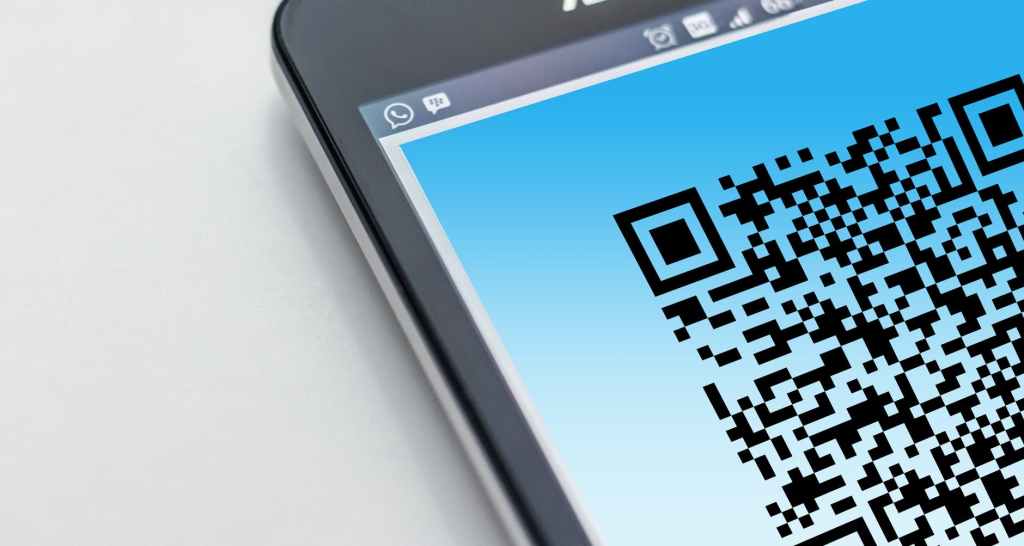
Barcode Reader. It is a set of white and black bars varying in with. Barcode reader is scanning device. This device is used as input to collect information about any product by scanning their barcode. Barcode reader is connected to the computer which transforms the information in the form of barcode. Barcode readers are most commonly used in grocery, pharmacy, utility store etc.

Fingerprint Reader. Fingerprint reader captures the finger print and convert it into a digital code. The code is compared for verification with already stored information. These are used for security purposes and criminal investigation. Fingerprint sensor can be found in mobile phones. These are used to unlock the mobile and maintain the security of the device.

Robot. A robot is a machine which is designed to execute one or more tasks automatically at very high speed. It is designed to help the human beings. Robot is an electronic device used to perform tasks effectively. They are helpful for human. Robots are capables of lifting heavy weights, repetitive tasks and poisonous substances.

Expension Cards, Slots :

Expension cards controls the peripheral devices such as graphics card, network interface card and sound card etc.

Expension slots is a socket on motherboard where different expension card can be inserted.

Expension Cards. These cards are the printed circuit boards that are fitted into an expension slot. The main purpose of these cards are to improve the capability of the computer. Most frequently used interface cards are:

a) Graphuc card

b) Network interface card

c) Sound card

d) MPEG Decoder

Expension Slot. Expension slots are made on the motherboard where expension cards can be inserted. In most computers four to eight expension slots are available. It is also known as bus slot or expension port.

Expension slots provides an installation point for a hardware expansion card to be connected.

Computer Memory :

The data on computer is stored in memory. Memory is divided into two main parts RAM and ROM.

Data stored in RAM is temporarily while data lies in ROM is permenant.

The computer memory is any kind of physical device which can store data temporarily or permanently. Memory consist of instructions and data saved into computer through CPU. The performance of computer depends upon CPU and memory.

Computer memory is divided into two main parts which are Primery memory and secondary memory. Primary memory has two types. Random Acces Memory (RAM) and Read Only Memory. (ROM).

a) Random Access Memory:This memory is also known as volatile memory because data is not stored in it permanently and it stored data temporarily. The information will lost if the computer is turned off or any power failure. Data can be read and written on it. It is also known as random access memory because of the random selection of memory locations for data storage. It is fast memory because it is the internal memory of computer.

b) Read Only Memory :Read only memory is a permenant memory location. Once a computer is manufactured, the instructions are saved on the ROM chip permanently. It works as read only operation so data can’t be changed. It is also called non-volatile memory because data stored in it can not be lost in any power failure case.

What is system unit:-

Different parts of system unit are as under:

Motherboard: Motherboard is the main board lies inside the system unit which helps to connect all the components and devices with the processor. It is the base of computer. Different sizes of motherboard are avaliable for different computers. Every design is for particular type of processor and memory. Some hardware which are connected with motherboard are

Peripheral devices

Processor

Memory

Expension Cards

Expension Slot

Storage devices

2. Processor: Processor is the brain of computer it is also known as CPU. A processor is used to process all the data given to computer. It is responsible for execution of all the commands from hardware and software. Every type of device uses processor either it is laptop, desktop computer, tablets, smartphones or flat screen television. Some devices use single core processor while some are of dual core. Running two processor side by side means that CPU manages twice the instructions every second. Processor has two units.

a) Control Unit

b) Arithmetic logic Unit

Design a site like this with WordPress.com
Get started